Section 1: Site Features
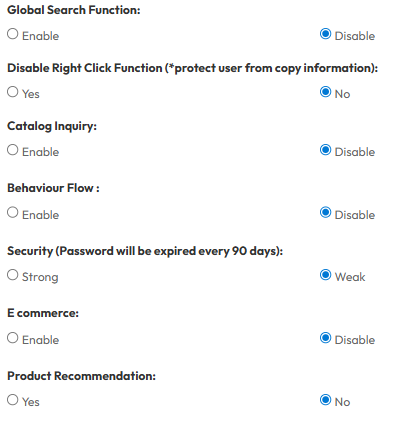
1. Global Search Function: Show the site-wide search capability. When enabled, a search icon appears in the header. Users can type a page name (e.g., "Home") to quickly locate and navigate to it from a dropdown list.
2. Disable Right Click Function: Prevents users from right-clicking on the website pages. Discourages visitors from copying text or saving images via right-click.
3. Catalog Inquiry: Activates the inquiry feature on catalog pages. This allows potential customers to submit requests for full catalogs or specific product details directly to the administration team.
- Change Inquiry Button Title: Customize the label text of the inquiry button displayed on catalog pages
4. Behaviour Flow: Enables the tracking and visualization of user navigation paths. This helps administrators understand how users move through the site, from entry points to exit.
5. Security: Sets the strictness of password protocols. Selecting "Strong" enforces complex password requirements and automatically expires passwords every 90 days to ensure account safety.
Section 2 : E-Commerce
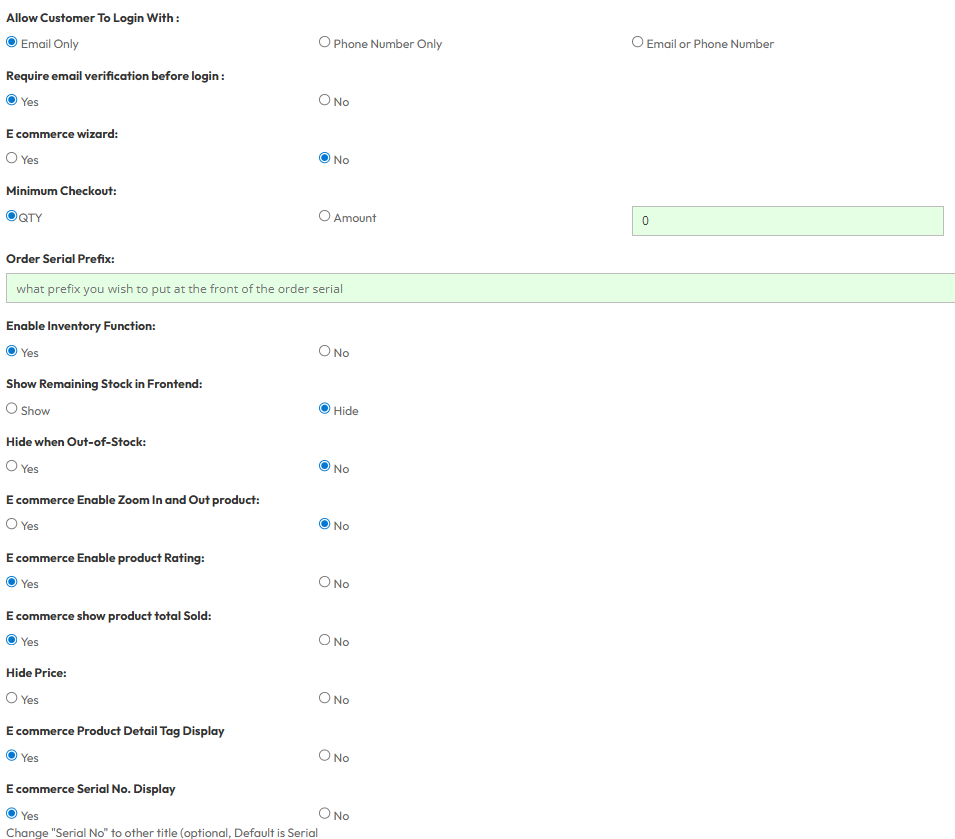
- Store Configuration: Set up the store using the E-Commerce Wizard, define the Global Currency (e.g., RM), and configure Order Serial Prefixes. You can set minimum checkout requirements (Quantity or Amount) and "Auto Cancel" rules for pending orders.
- Customer Accounts & Login: Flexible login options allow customers to register via Email, Phone Number, or both, with options for mandatory email verification. You can also enable "Anonymous Checkout" for guest purchases and display a custom Login Notice Image.
- Inventory Management: Toggle stock tracking, choose to show remaining stock quantities, and automatically hide products when they go out-of-stock.
- Product Display & UX: Enhance the shopping experience with product image zoom, customer ratings, "Total Sold" counters, and autoplay sliders. You can also hide prices (for catalog mode), customize Serial No (SKU) labels, and display product tags.
- Marketing & Loyalty: Drive sales by enabling Discount Vouchers, a Member Point system, and a Referral Program (triggered by registration or completed orders).
- Integrations: Connect with external channels via "Online Marketplace Integration" to sync orders and stock with Lazada, Shopee, and Facebook.
- Operations & Compliance: Manage delivery notes, enable Sales Tax calculation, generate E-Invoices (MyInvois), and define Covered Countries for shipping. Advanced features include QR code scanning, backend payment gateway setup, and sub-permission controls for staff.