Video Background Animation

Creates a cinematic, full-screen introduction for your website. This section displays your video or image content and automatically dismisses after a set duration to reveal the main page.

Visual & Animation
Animation Brand Video
Last Updated: April 3, 2026

Part 1: Video Background Animation Overview

Section Type: Video Background Animation

Creates a cinematic, full-screen introduction for your website. This section displays your video or image content and automatically dismisses after a set duration to reveal the main page.

Video Background Animation Demo

Library Image

Part 2: Video Media & Display (Content Settings)

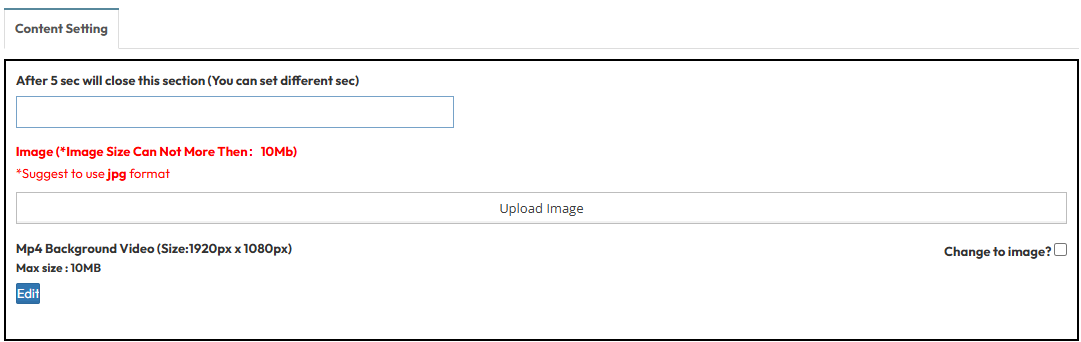
Control the main visual element to determine how long the intro animation stays on the screen.
  • Auto-Close Timer: Set the duration (in seconds) the intro stays on screen before disappearing.
  • Mp4 Background Video: Upload your video file (MP4, 1920x1080, Max 10MB).
  • Change to Image?: Enable this to use a static image instead of a video, or to set a fallback image for devices that block autoplay.
    • Image: Upload a fallback image (JPG, Max 10MB).

Part 3: Video Text Overlay

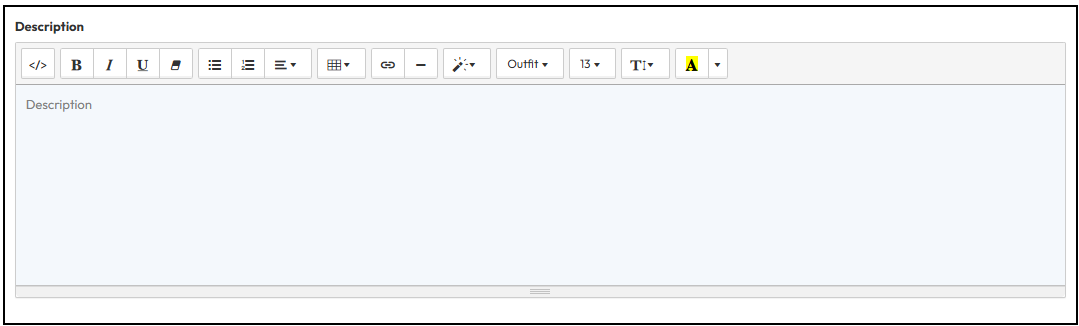
Add optional text to display over the video background.

Enter the text you want to display during the animation, such as a welcome message or a brief tagline.

屏幕截图 2026-03-10 111529.png

FAQ

Find answers here.

It adds a moving video behind your text and buttons, making your page look more alive instead of using a plain still picture.

Yes, the system automatically detects the device. On mobile, it can fall back to a static image to save data and ensure fast loading, while the video plays on desktop connections.

It might, because moving videos take longer to load. Make sure to use a very short video file so your visitors do not have to wait.