Step 1: Create Your Page
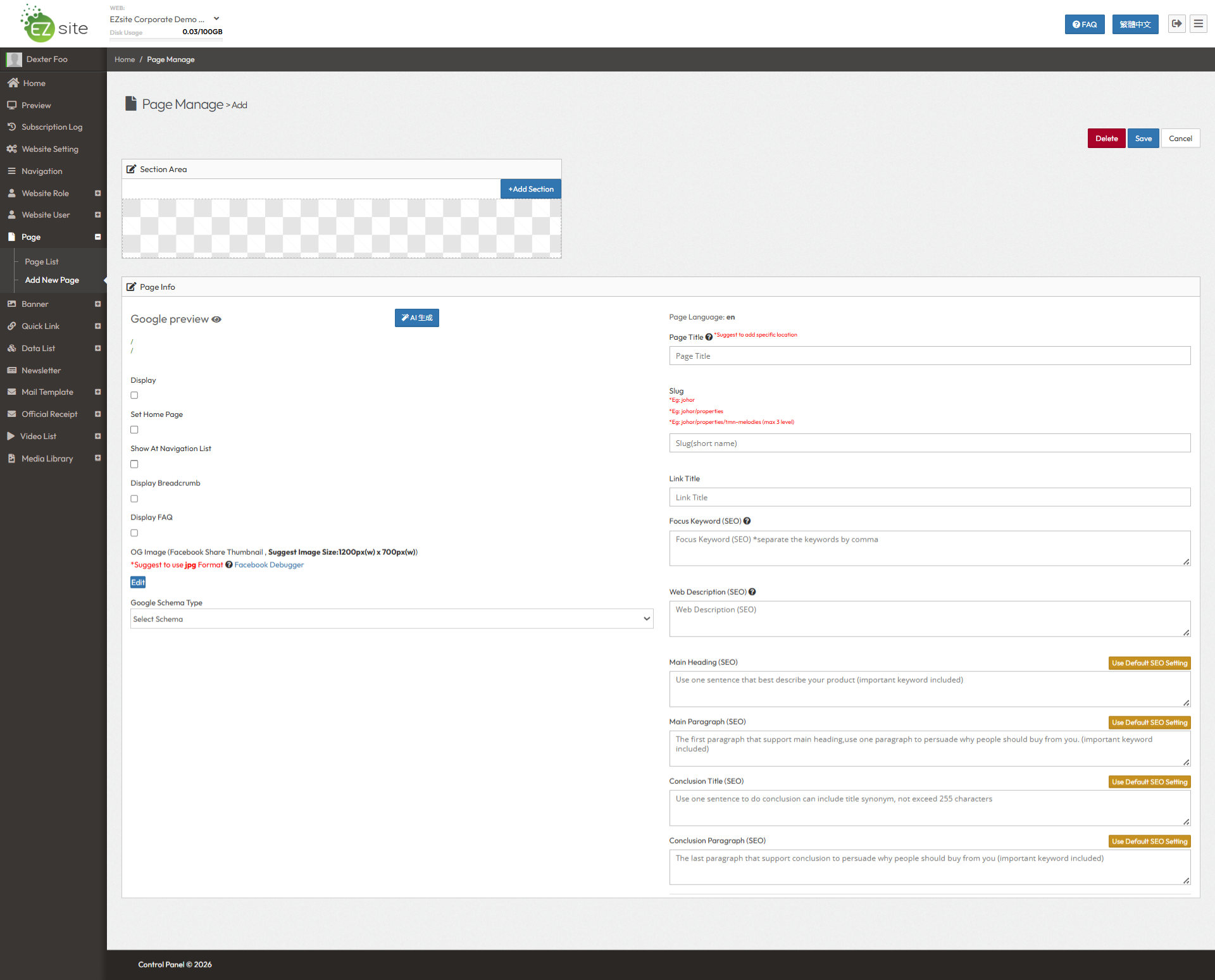
Every page starts with the basics. Enter your Page Title and URL Slug (for example, about-us or services). As you type, EzSite automatically generates a real-time Google search preview, so you know exactly how your page will look in search results before you even start designing.
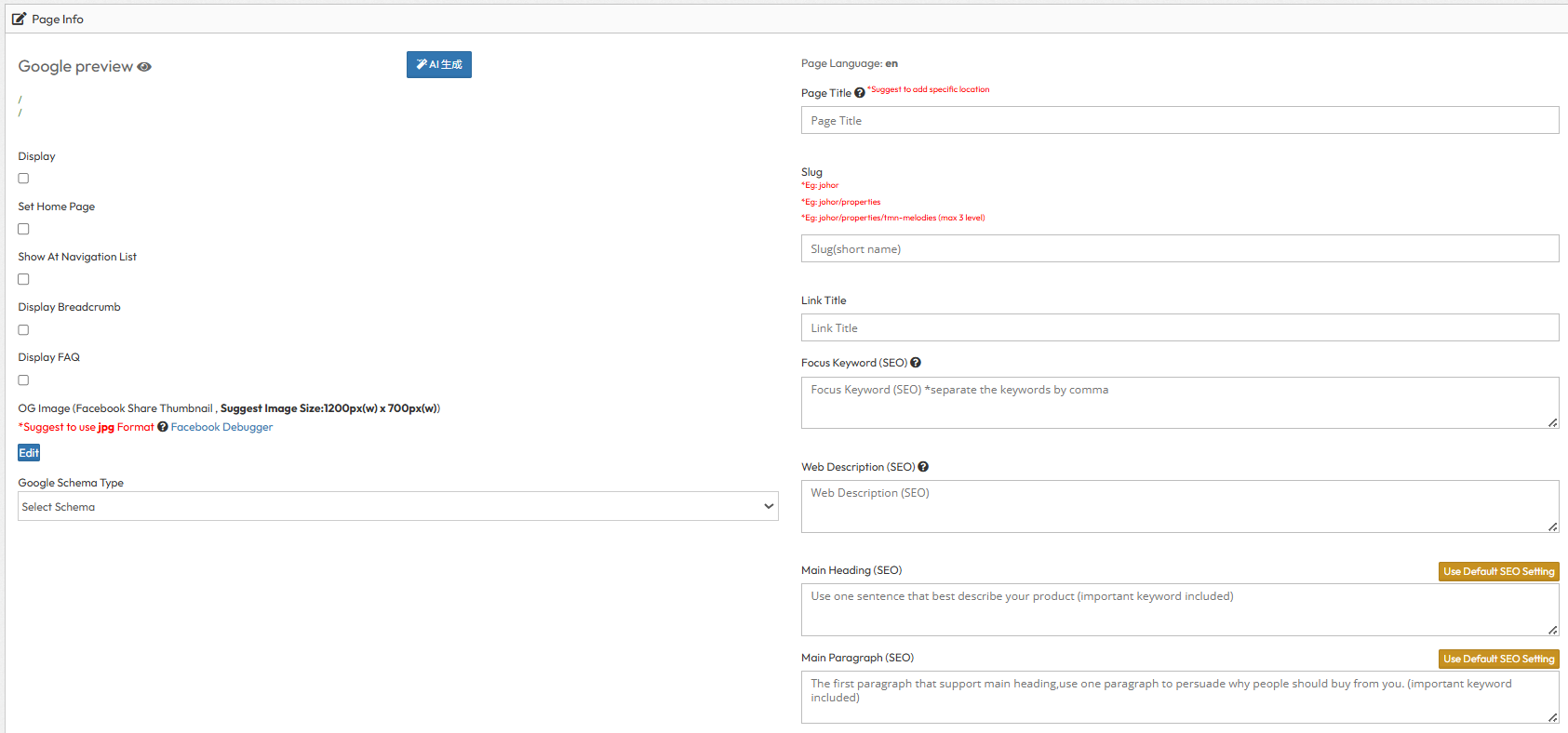
Step 2: Configure Page Info & SEO Metadata
Step 3: Add & Arrange Sections
No coding required. Click "Edit" to browse our library of section types, from Case Studies to Left-Text-Right-Image layouts, FAQs, and Contact Forms. Add the sections you need, and simply drag-and-drop to reorder them however you like.
Step 4: Pass the SEO Check & Publish
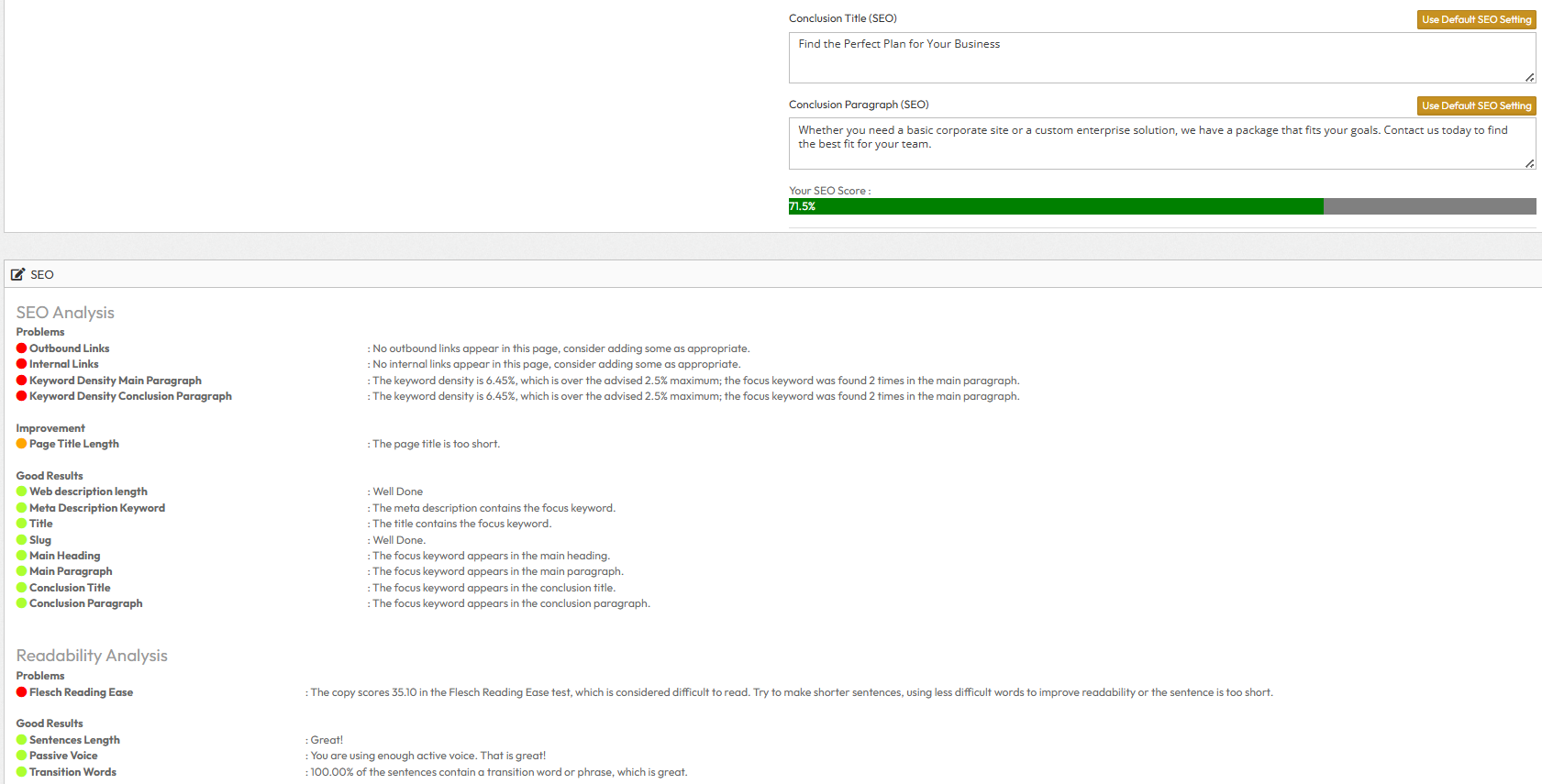
This is what makes EzSite different. You cannot publish a page until it meets our SEO standards. Fill in your content, and our built-in analyzer will check your keyword density, readability score, and transition words in real-time. Fix the red dots until your score turns green. Once it passes the standard, your page goes live, fully optimized for Google and ready for your visitors.